

AI Feature Toggles: the feature I stopped us overbuilding
Snapshot
Role: Junior UX Designer on Genio Admin, design lead within a cross-functional trio, standing in for the PM
Genio Notes' AI tools help students, but they can conflict with a school's academic policies. Admins had no way to control who could access which tools, so schools were stuck choosing between blocking AI outright or leaving it wide open. I designed an org-wide setting with group-level overrides, built on the Groups system admins already knew. That was instead of the whole new profiles system we were asked for.
The work came out of shipping Study Notes, our AI generated summaries. Admins needed a way to turn it on or off for people. Our PM was on leave, so I carried the role alongside my own: stakeholder conversations, scope, and challenging what we had been asked to build. What we shipped is far smaller than what I was handed, and does the same job.
Look past the request to the outcome
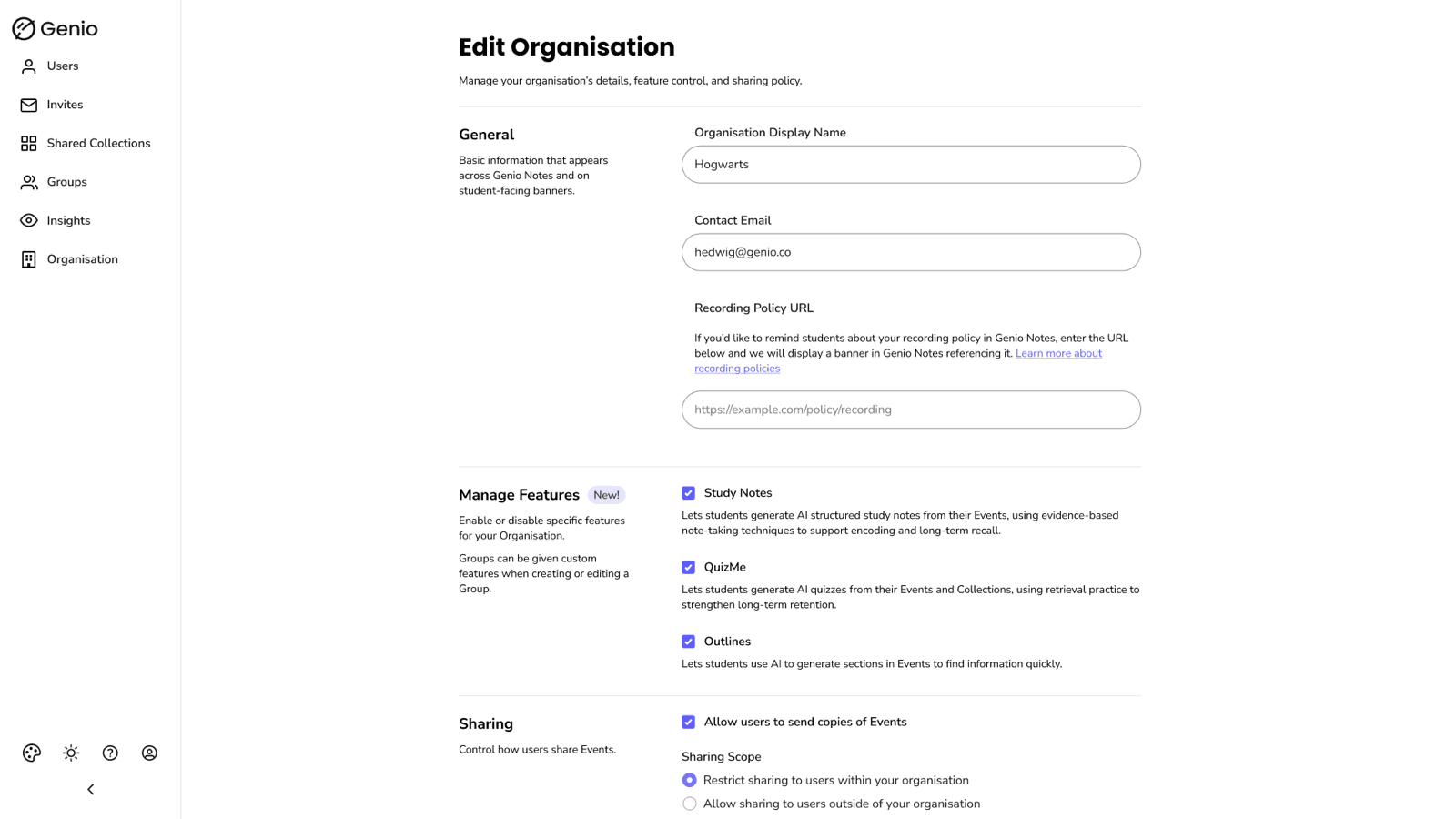
It became clear that stakeholders wanted to match a competitor, by delivering feature toggles through a new “profiles” system. That meant adding a whole new system to the admin platform.
Rather than take the request at face value, I dug into what was actually being asked for: the outcome stakeholders wanted, not the system they had named.
Add to the existing system, don’t build a new one
Creating a new profile system to match a competitor would be complex. Profiles meant a whole extra system on top of the existing Groups system.
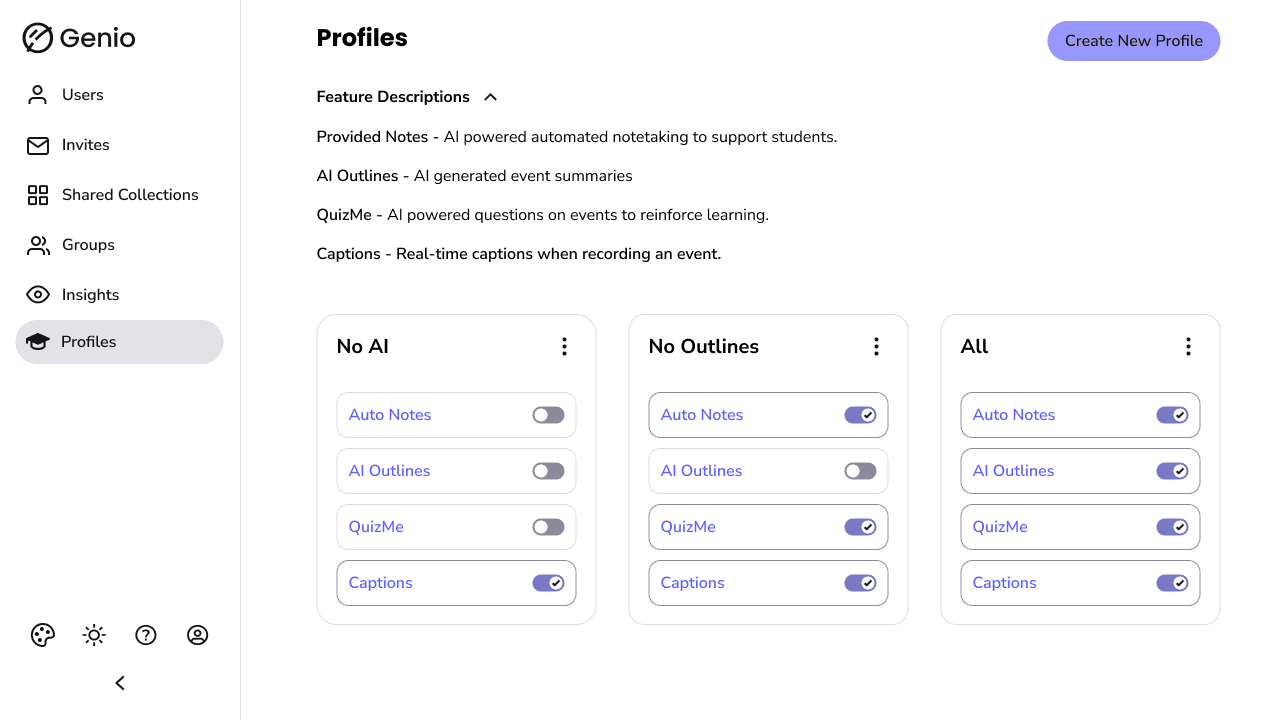
I argued for giving feature toggles to groups instead. They are already used and understood by admins, and allow for the same functionality. I made that case in the PM's place, attending the meetings and taking the stakeholder conversations myself until the room was behind it.
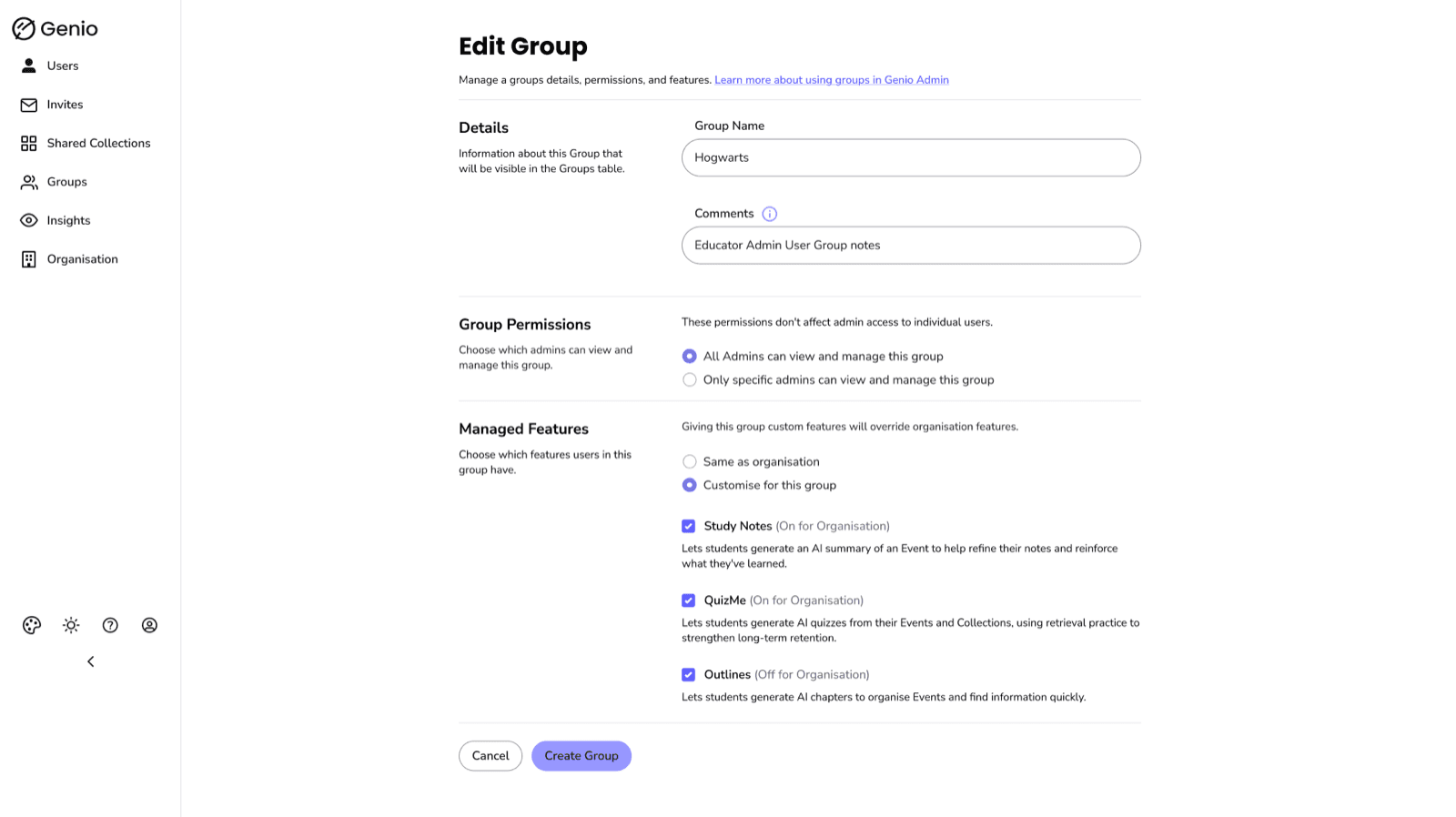
Org-wide baseline, group-level override
Inside that scope, a two-tier model across the three AI features Notes ships: an org-wide baseline plus group-level overrides. Institutions set policy once, and a course or cohort with different needs can depart from it without that call being made for everyone.
Taking the opportunity to improve the form layout
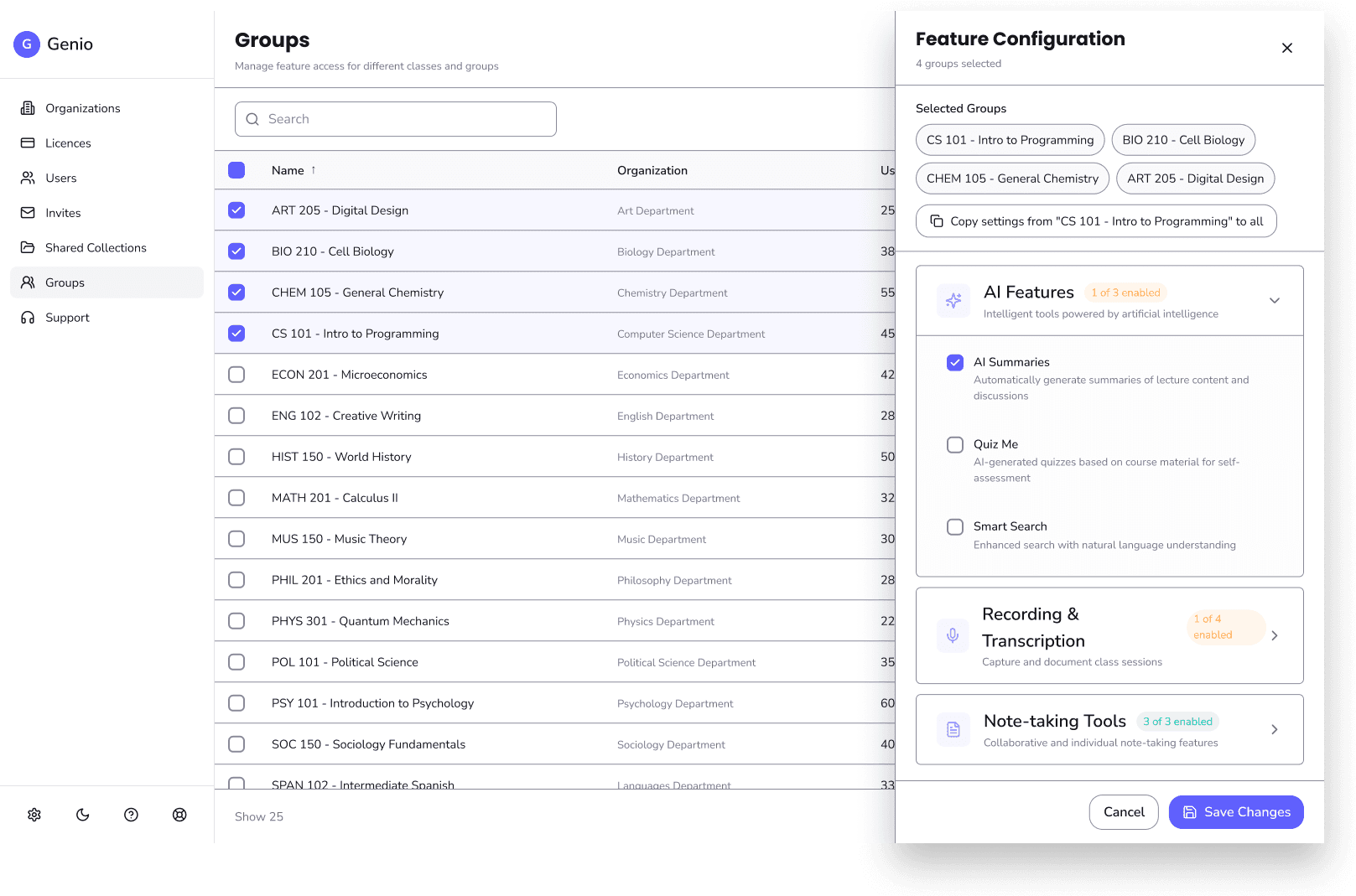
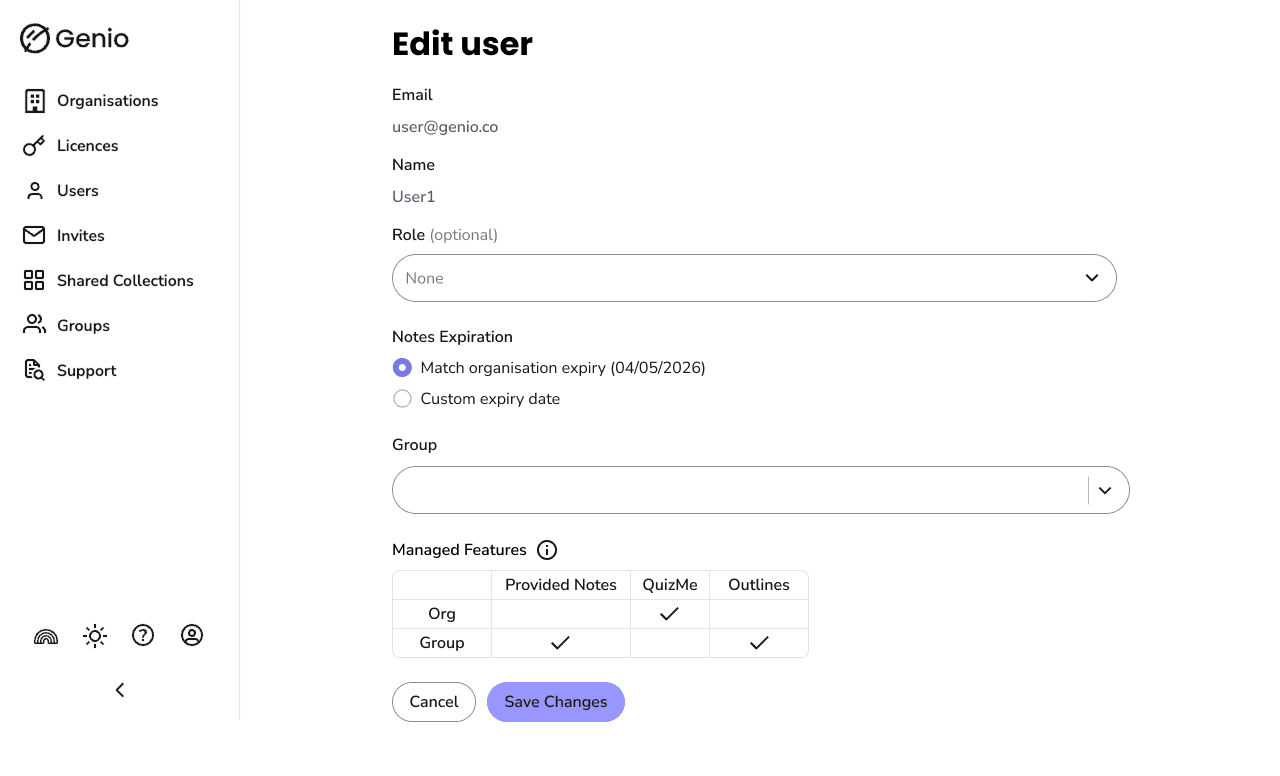
The existing form layout in Admin was hard to scan and lacked structure. Since feature toggles needed to fit into these forms, it felt like the right moment to fix that. I restructured the layout with dividing lines, clear titles, and descriptions.
It also made it easier to add new sections to a form, instead of hunting for a spot in a long list.
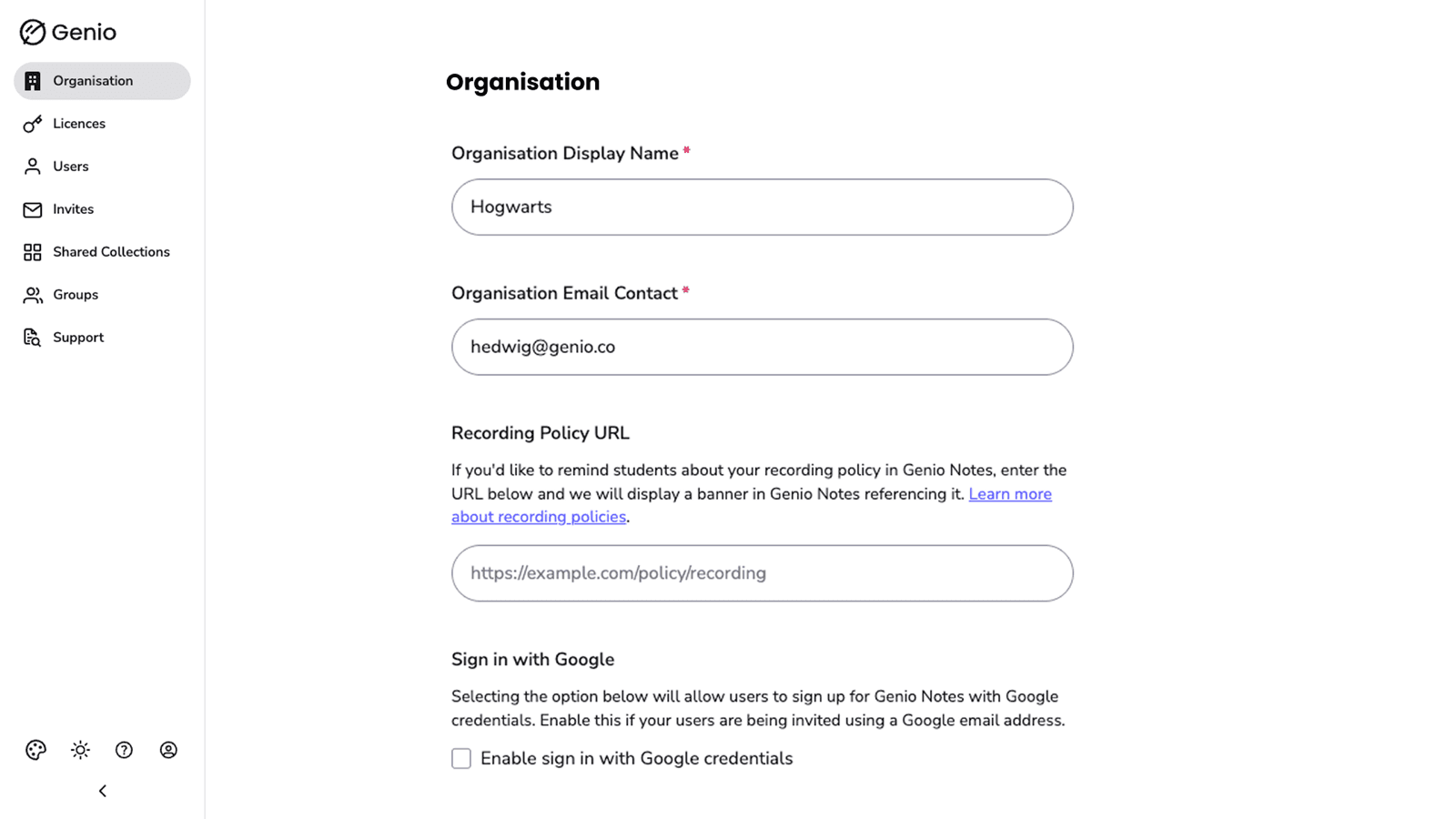
Shipped
Feature toggles shipped as an extension of the existing Groups system: an org-wide baseline for each of the three AI features in Notes, with group-level overrides on top. It let admins match their academic AI policies through a system they already knew.
Impact
The objective was never adoption. It was cutting the requests reaching support and customer success asking for AI features to be turned off. That figure hasn't come back to me yet, so the headline result is still outstanding.
What I can report is use: 11.8% of organisations in the first month. Admins were changing their toggle settings, not just looking at them. That was over the summer break, when most institutions are quiet.
The bigger result was what we didn't build. A profiles system meant a second permission model to design, integrate and maintain. We had a conference deadline, and we hit it. It would also have left every future feature weighed against three layers instead of two.
Reflection
The value I added here wasn't in the pixels, it was in the PM work: absorbing conflicting stakeholder feedback and steering it toward an approach the platform could actually carry.
The useful question turned out to be “Do we really need a profile system?” Once I asked that, it became clear the same solution was reachable through an existing system. Clarifying that sooner would've made the project far more streamlined.